
Understand the lifecycle, scope, and security benefits of Secure, HttpOnly, and SameSite cookies through examples involving shopping carts, language preferences, and first-party site logins.
You select an item in an online store, open another page, and it’s still in your cart. After signing in to a website, you don’t have to enter your password again every time you click a menu item. Behind these seemingly seamless experiences, a website and its server need to manage state across a series of independent requests. HTTP cookies are one important mechanism for doing so.
1. Why Does HTTP Need Session State?
HTTP requests are independent. When a server receives a request for a resource, it can’t automatically know the application’s current state based solely on the previous request. Websites therefore need explicit ways to manage state—for example, associating a session with a shopping cart or remembering a user’s language preference.
RFC 6265 defines the Set-Cookie and Cookie HTTP header fields. The former is typically used by a server in a response to tell the browser to store data according to specified rules; the latter is sent by the browser with subsequent requests when the relevant conditions are met.
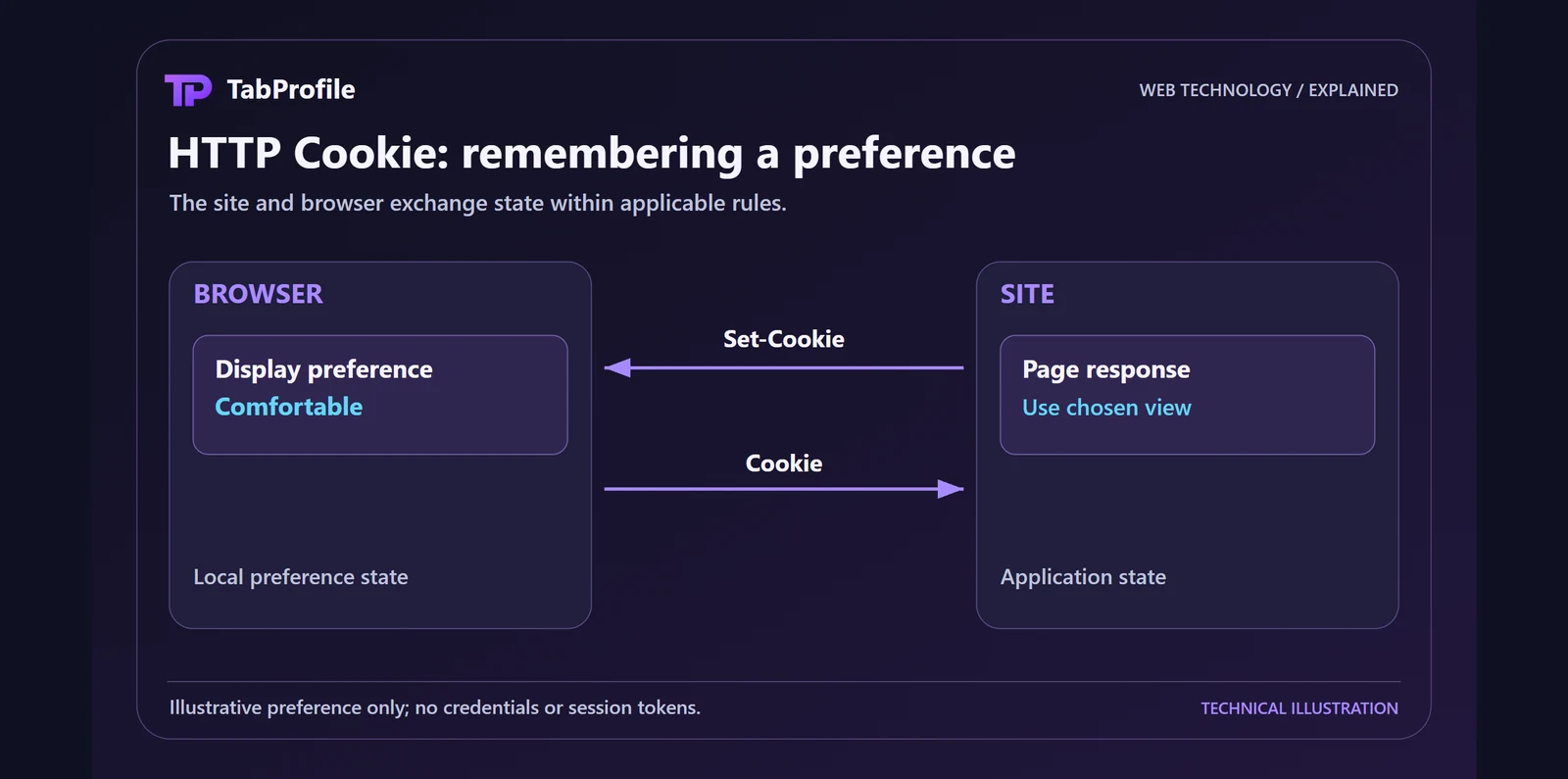
For an anonymous shopping cart, for example, a website can store the cart on its own server and use a session identifier to distinguish between visits. The browser sends cookies with requests according to their scope and lifetime. The application still needs to validate the state and must not treat client-side data as trusted proof of authorization.
2. How Are Cookies Created, Stored, and Expired?
A cookie can include a name, a value, and attributes that control how it is stored and sent. Its lifecycle generally has three stages: a site declares the cookie in a response; the browser accepts and stores it according to the applicable rules; and subsequent qualifying requests include it until it expires, is deleted, or becomes unavailable under the relevant policy.
Some cookies are used only for the current browser session, while others can be given an expiration period. The cleanup of session cookies may be affected by the browser’s session-restore behavior, so a website shouldn’t treat closing a tab as a reliable server-side sign-out action. To truly sign out, the application must also end the corresponding authentication session.
3. What Does Each Cookie Attribute Do?
| Attribute | Primary purpose |
|---|---|
| Domain, Path | Specify the domain and path scope for which a cookie applies to requests |
| Expires, Max-Age | Specify how long a cookie is stored |
| Secure | Ensure the cookie is sent only with requests that meet secure transport requirements |
| HttpOnly | Prevent page scripts from accessing the cookie through the standard script interface |
| SameSite | Restrict when a cookie is sent based on the site context of a request |
The SameSite explanation in Chrome’s web.dev documentation further explains the difference between same-site and cross-site requests. Websites need to set these attributes correctly based on their authentication flows and current browser rules. Cookie path restrictions aren’t, by themselves, a reliable boundary for access control. Server-side authentication, authorization checks, and other necessary safeguards remain important when handling sensitive operations.
4. What’s the Difference Between Cookies, Sessions, and Local Storage?
Cookies are a data mechanism associated with browsers and HTTP requests. A session, by contrast, is an application concept for managing a period of activity and may involve state stored on the server. The two are often used together, but they aren’t synonymous.
Local Storage is intended for an application’s local storage needs. Data saved there isn’t automatically attached to HTTP requests the way cookie data is. A site can use it to store ordinary interface preferences, but when authentication information is involved, it needs to carefully consider script access, data exposure, and data lifetime, among other security concerns.
So when users find that a website can’t remember their language, a shopping cart is missing, or their sign-in state is behaving unexpectedly, it’s not safe to assume that all browser storage is affected in the same way. First identify which layer stores the application state and which request and response are responsible for updating it.
5. Verify Session Behavior on Your Own Site
Teams developing or maintaining a website should test several normal user flows in an authorized test environment: first-time visits, setting preferences, browsing a shopping cart, navigating to other pages after signing in, and ending a session through the application’s own sign-out flow. Check that the page displays the correct state and corresponding results, and avoid writing real users’ authentication data to shared test records.
If a team needs to handle temporary acceptance-testing tasks separately from day-to-day work, it can use the TabProfile fingerprint browser to manage separate test sessions in independent browser workspaces. Use dedicated test data to verify the website, make the purpose of each environment clear, and manage session state through the website’s normal sign-in and sign-out flows. You can download the TabProfile client from the official site to set up your own workspace.
Frequently Asked Questions
Are cookies themselves the sign-in state? They may be involved in managing a sign-in session, but authorization and the validity of a sign-in depend on the application’s verification results.
Does clearing cookies delete the server database? No, not automatically. Deleting local cookies in a browser and deleting business records on a website’s server are separate actions.
The key to understanding cookies is to identify who owns the state, how long it’s stored, and which requests it applies to. This makes it possible to handle repeat visits appropriately in web applications instead of treating all user state as a single piece of local data.


