
Learn about digital audio sampling, AudioContext audio graphs, volume and filter nodes, and the timing and permission mechanisms behind sound playback on interactive web pages.
Online metronomes, music editors, and interactive games often need precise control over when sounds start, their volume, and their effects. Standard audio players can already play files, but applications that need to mix multiple sounds in real time, add filters, or synchronize sound with visual animations require a more flexible digital audio processing model.
What Is AudioContext?
The Web Audio API is the browser interface for audio processing and synthesis. The W3C Web Audio API Recommendation uses an audio routing graph design in which multiple audio nodes are connected to form the overall audio processing chain.
You can think of AudioContext as the runtime environment for a real-time audio system: it provides an audio timebase and connects processing nodes to an output destination. To make a media file louder or add a special effect, you don't modify the speaker directly. Instead, you pass the digital audio through the appropriate processing stages.
How Is Digital Audio Represented?
Air vibrations are a continuous physical phenomenon. Computers typically convert sound into digital samples arranged over time. The sample rate indicates how many samples are recorded per second. For example, 48 kHz means 48,000 samples per second.
Multichannel audio contains separate sound components, such as the left and right channels. Audio processing software operates on the sample data at the corresponding times, then outputs the results. An audio device ultimately converts them back into a sound signal we can hear.
Sample rate, channels, and volume are three different concepts. Lowering the volume only changes the signal amplitude; it does not reduce the sample rate. Changing filter parameters, on the other hand, affects how different frequency components sound.
How Do Audio Nodes Combine to Create an Effect?
The Web Audio node model is especially useful for explaining how audio applications process sound in practice. A typical audio chain can include a sound source, volume control, filtering, and a final output.
| Node or role | Purpose |
|---|---|
| Audio source | Provides the digital signal to be played or generated |
| GainNode | Controls the signal amplitude to adjust volume |
| BiquadFilterNode | Uses filtering to adjust different frequency components |
| Audio output destination | Receives the processed audio and connects it to the appropriate output environment |
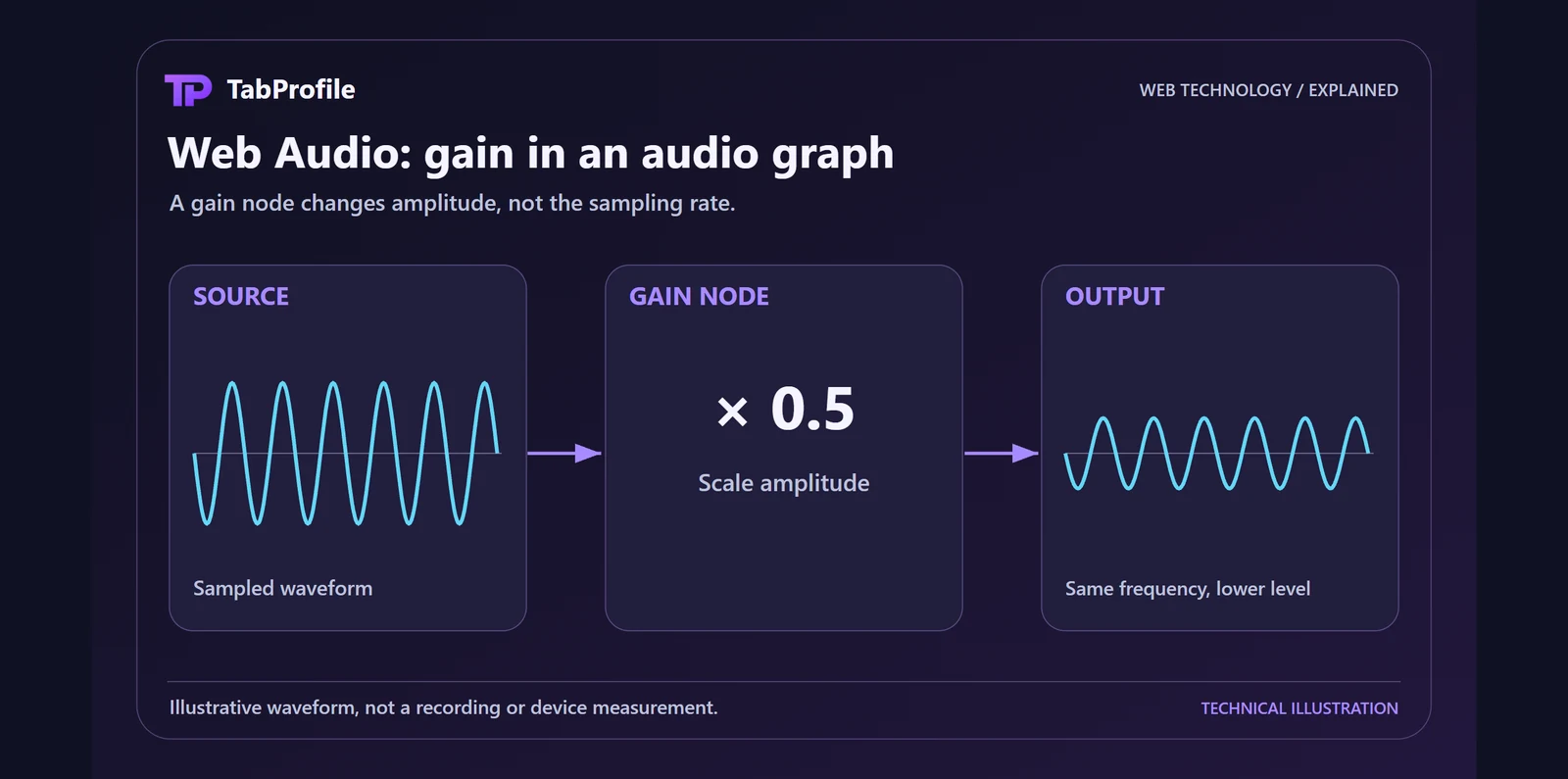
An audio graph can include branches or multiple sound sources. An online music editor can process accompaniment, vocals, and sound effects separately, then mix them into a single output. Compared with putting all the processing in one loop, an explicit node structure is easier to maintain and makes it easier to track down audio issues one by one.
Why Does Audio Need Its Own Timebase?
Ordinary page scripts in a browser can be affected by rendering, network callbacks, and other tasks. Real-time audio, however, needs to generate and play audio data continuously; a sudden interruption can make the sound seem discontinuous.
For this reason, Web Audio provides a timebase associated with the audio context for specifying when audio nodes start and when their parameters change. Take a metronome, for example: its interface icon only needs to promptly indicate the current beat, while the audio itself must produce a short click at the right moment. Programs should distinguish between interface update timing and audio scheduling time.
Browsers also manage when sound starts through autoplay policies and user interaction requirements. Music and game websites should provide a clear way to start playback and respect users' choices to pause, adjust the volume, or turn off the sound.
How Do You Troubleshoot an Audio Web Page?
When maintaining a music, educational, or game website, first determine whether the problem occurs at the source, during node processing, or at the output stage. For example, if the page shows playback progress but there is no sound, check whether the audio loaded successfully, playback actually started, the volume node is producing output, and the system's playback device is working. If users report that sound is missing from certain channels, verify the channel routing.
Teams can organize separate browser work sessions in TabProfile for tasks such as audio editing, educational pages, and game acceptance testing. This helps clarify which page and workflow each test covers. Audio quality should still be verified through listening and functional checks.
Frequently Asked Questions
How is AudioContext related to the HTML audio element? The audio element is suited to media playback and controls, while Web Audio provides composable audio processing capabilities. The two can be used together.
Does an audio graph have to be complex? No. Adjusting volume requires only a few processing stages. Add the relevant nodes only when the task calls for filtering, mixing, or synthesis.
The value of AudioContext lies in organizing audio sources, timing, processing, and output into a clear runtime model, enabling browsers to support richer sound applications.


