
Understand how a webpage loads by exploring the Chromium browser project, Blink’s rendering responsibilities, V8’s script execution, and the browser’s multiprocess design.
When you start a browser, you see the address bar, tabs, and page content. But when you open a highly interactive webpage, the work of parsing HTML, calculating layout, executing JavaScript, and displaying the page is handled by a layered software system behind the browser. Chromium, Blink, and V8 are all important components of this system, but they’re often treated as if they were the same thing: “the browser engine.”
Chromium, Blink, and V8: What Does Each One Do?
Chromium is an open-source browser project that includes many of the components needed to run a browser. It’s more than an HTML parser, and it can’t be accurately described as a single process. Chromium’s official overview of its multiprocess architecture explains how the browser organizes its different process types.
Blink is the rendering engine used by Chromium. It handles rendering-related tasks for Web platform documents and webpages. V8 is a JavaScript and WebAssembly engine that provides the underlying capabilities for script execution. When a webpage runs, these components work together to process the document and enable interaction.
| Component | Primary role | Common tasks |
|---|---|---|
| Chromium | Open-source browser project and system architecture | Running the browser, page-related components, and process management |
| Blink | Web rendering engine | Processing the DOM, styles, layout, and page display |
| V8 | JavaScript and WebAssembly engine | Script execution and runtime management |
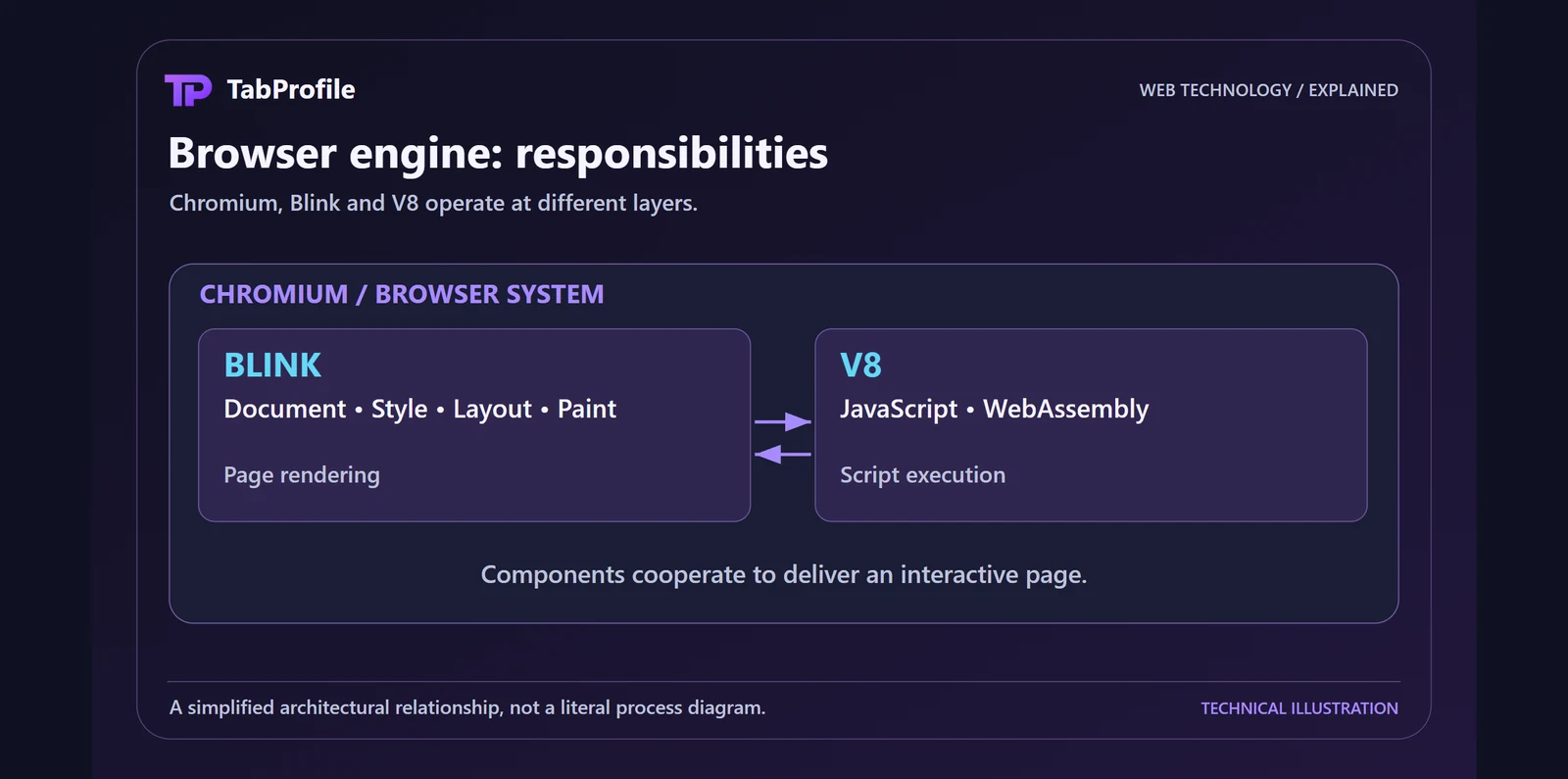
These aren’t three separate browsers that process a page one after another. They’re different components of a browser system that work together.
What Happens Between Entering a URL and Displaying a Webpage?
Take a simple news page as an example. The browser first retrieves the page document and related resources. The rendering system parses the HTML to build the document structure, processes the style rules, and calculates the position and size of elements on the page. It then paints and composites the page as needed so the content appears in the window.
JavaScript can be involved at many stages of a page’s operation. For example, when a reader clicks “Expand article,” an event handler can modify the page structure or styles. That change may trigger a new layout, paint, or compositing pass. Real browsers optimize how much work needs to be done, so they don’t necessarily rerun every stage from scratch each time.
This also explains why a slow webpage doesn’t necessarily have just one cause: resource transfer, script execution, interface layout, image rendering, and other tasks can all affect the user experience. To troubleshoot, identify the specific stage involved rather than judging engine performance by the loading animation alone.
Why Do Modern Browsers Use a Multiprocess Architecture?
Browsers need to handle the user interface, network access, and multiple webpages at the same time. Assigning different responsibilities to different processes helps with resource management, stability, and security isolation. For example, if a page encounters a problem, the browser can handle it according to its process structure instead of putting all activity in a single execution unit.
The rendering process, browser process, and other utility processes perform different tasks. The actual number of processes depends on factors such as the pages and sites open, the browser version, and its operating policies. As a result, the process count in Task Manager doesn’t necessarily match the number of open tabs. When looking at memory usage, it’s also important to understand how resources are used across multiple processes.
How Should You Think About Engine Versions and App Compatibility?
Browser engines continue to evolve, with changes to Web standards support, performance optimizations, and security fixes. When a website has compatibility issues, investigate whether the CSS, JavaScript, or other Web APIs it uses are supported by the target browser, and design an appropriate fallback experience based on the feature requirements.
A brand name and the name of an underlying engine aren’t the same thing. A product can provide its own workspace management, interface, and business features while using the relevant browser technologies as its foundation. Understanding this distinction helps clarify the relationship between the product experience and standard features.
The TabProfile product interface also displays the environment’s engine version. For teams that maintain their own Web applications, recording the page under test, the version actually running, and the conditions under which an issue occurs can help create reproducible compatibility tickets. If you need to organize acceptance testing for multiple webpages in one place, download the client from the official TabProfile download page and manage your test projects in separate workspaces.
Frequently Asked Questions
Is Chromium the same as Google Chrome? Chromium is an open-source browser project; Chrome is a browser product built on Chromium. The product layer also includes each browser’s own features, distribution, and update mechanisms.
Can V8 render webpages on its own? V8 is primarily responsible for script execution. Displaying a page also requires the rendering engine and other browser components to work together.
Does a newer engine version always make every website faster? Browser updates may bring improvements, but the actual experience also depends on the webpage’s design, the resources it uses, the device, and the operating conditions. Use real-world test results to assess performance.
A browser engine isn’t a single button or just a version name. It’s a software system whose components work together to provide Web platform capabilities. Understanding the distinctions between the project, rendering engine, scripting engine, and process responsibilities is a foundation for analyzing webpage behavior.


